Contact us
 Customer Area
 Visit LWS
Rate this article :
4.1/5 | 9 opinion
This article was useful to you ?
 Yes
Yes
 No
No
 Article read
132923 once
Article read
132923 once Merci ! N'hésitez pas à
poser des questions sur nos documentations si vous souhaitez plus d'informations et nous aider à les
améliorer.
Merci ! N'hésitez pas à
poser des questions sur nos documentations si vous souhaitez plus d'informations et nous aider à les
améliorer.Vous avez noté 0 étoile(s)



Sommaire
Procédure
This guide explains how to change the shared hosting package (domain name, LWS web hosting, cPanel, Plesk, etc.) from your customer area.
All the actions described above can be carried out from your LWS customer area.
LWS offers several hosting ranges and several packages within each range.
Before changing your hosting package, check that the new package will suit your needs!
Depending on the package, the web capacity, email capacity, number of email addresses, technology used (node.js, python, php, asp.,net, etc...) and quotas are different. It is therefore essential that you make sure that your new package suits your project in every way.
If in doubt, don't hesitate to contact our sales department to check that the new package meets your requirements.
Before changing your package, make a backup of:
If you are not comfortable with these technical operations, an LWS agent can take care of them for you. To do this, we invite you to open a managed service.
[
You are in one of the following situations:
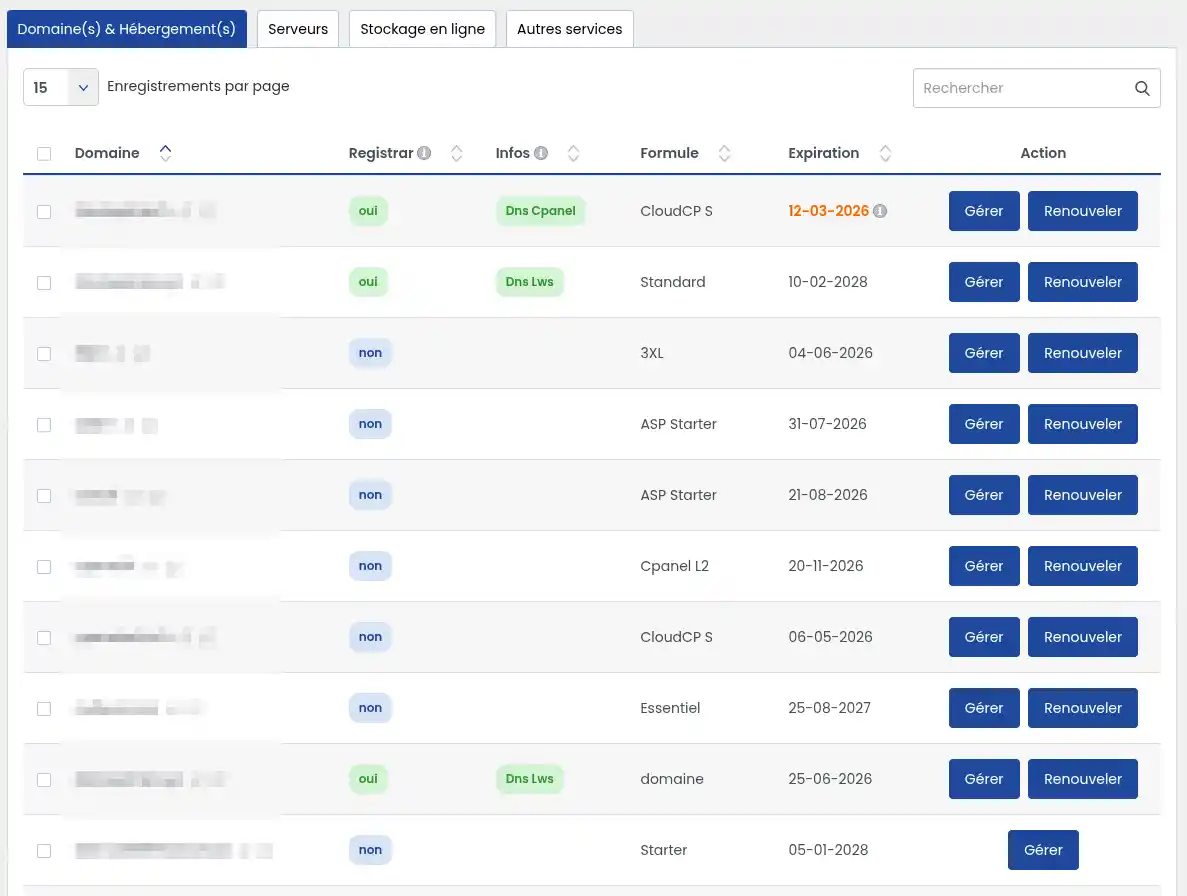
In the "Domain & Hosting" tab, click on the "Manage" button for the package you wish to change.
In your hosting management, look for the "Support, packages and options" section and click on the "Change package" icon.

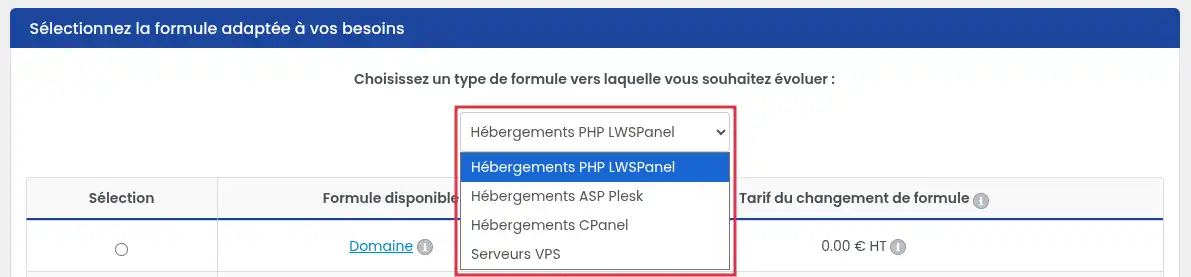
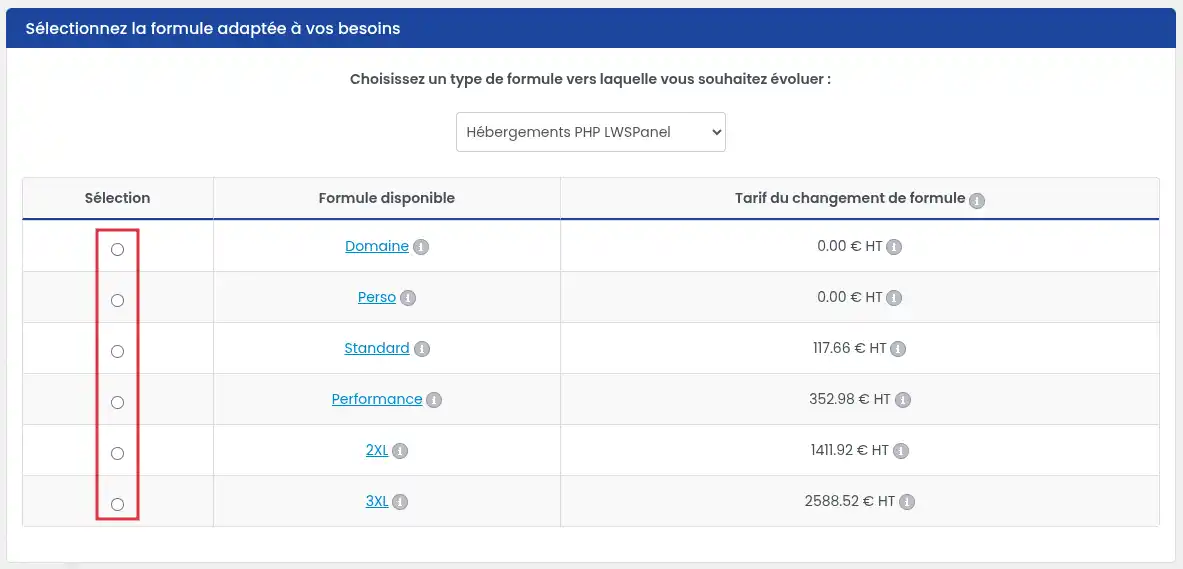
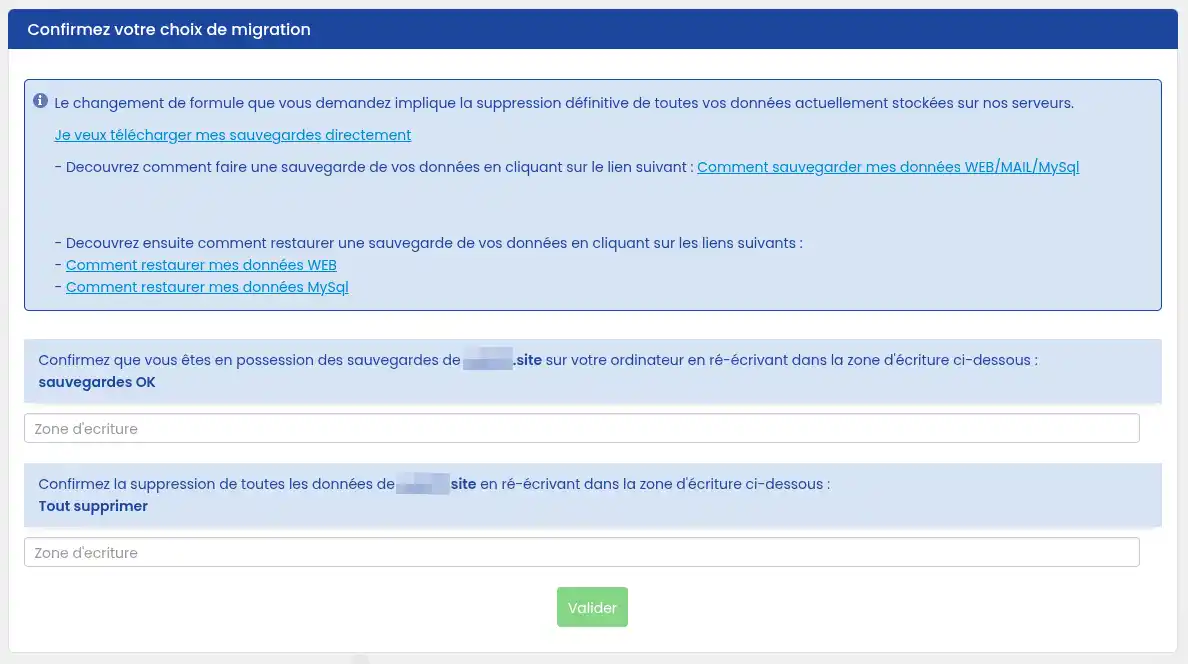
From this form, you can switch from a shared package to a VPS package. You will be charged €69 excluding VAT for facilities management so that an LWS agent can migrate your data. Your data will be migrated from your shared package to the VPS within 72 hours of your request to change package. If you do not wish to use our services and carry out the data migration yourself, do not change your package, order a VPS directly from our sales site.
4. Pay the formula change quote
After validating the form, you will be redirected to a quote page.
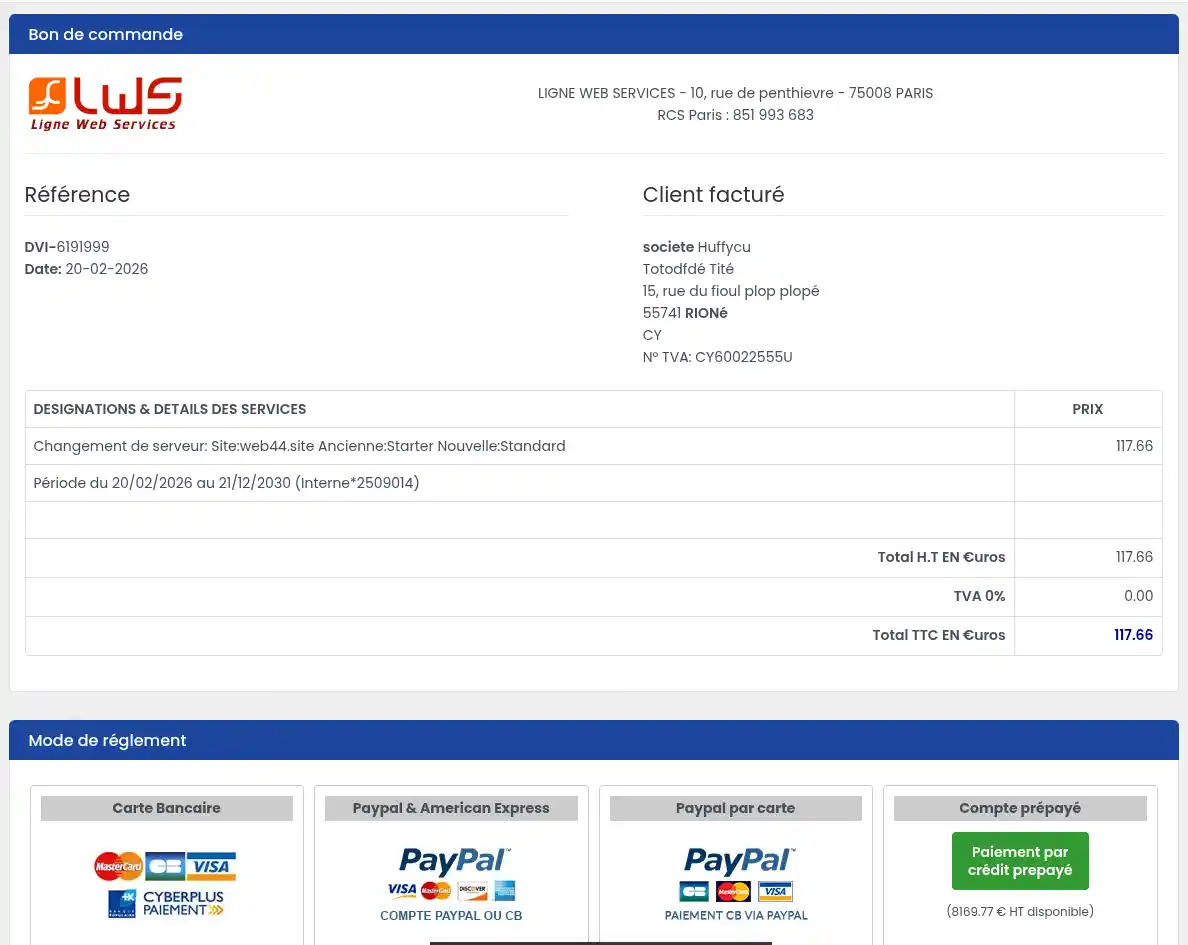
LWS will invoice you only for the difference in price between the old and new packages, prorated for the months of commitment remaining, based on the standard price of each hosting package.
If you change to a lower package, the change is free of charge.
In the case of a free package change, don 't forget to validate the quote to start the change.
Your package change will be validated within two hours of receipt of your payment.
After the change :
If you have changed server :
| Action | Time |
|---|---|
| Change of standard package | ~2h after payment |
| VPS migration with technician | up to 72 hours |
| DNS propagation | 2 to 24h (48h max) |
Changing your package is quick and easy from your customer area.
The only thing you need to be careful about is backing up your data and understanding the impact of the change.
If in doubt: always save before confirming.
Rate this article :
4.1/5 | 9 opinion
This article was useful to you ?
Yes
No
0mn reading
Change billing details
Bonjour,
Merci de votre retour.
La première année d'engagement à une formule LWS Perso, le domaine vous est offert, mais après 1 an le renouvellement du domaine n'est plus offert il faudra payer celui-ci.
Je vous remercie de votre attention et reste à votre disposition pour toute autre question ou complément d'information.
Nous vous invitons à contacter notre service support à travers votre espace client, afin de vous apporter une aide si vous rencontrez des difficultés quelconque. (Contacter le support LWS)
Cordialement, L'équipe LWS
Bonjour,
Je vous remercie pour votre message.
En effet, le changement de formule en cours de route, permet au besoin de passer à la formule supérieure en ne payant que la différence de prix pour les mois restants.
La somme à régler sera affichée dans tous les cas lorsque vous choisirez votre future formule.
Je vous remercie pour votre attention et reste à votre disposition pour toute autre question ou complément d'information.
Vous pouvez nous contacter depuis votre espace client ou sur cette page : https://www.lws.fr/contact
Cordialement, L'équipe LWS
Bonjour,
Je vous remercie pour votre message et je comprends que vous souhaitez ajouter votre deuxième nom de domaine sur l'hébergement Starter de votre autre offre d'hébergement.
Pour ce faire, vous pouvez utiliser notre fonctionnalité de multidomaine. Pour réaliser cela, je vous invite à suivre notre documentation à ce propos et à contacter l'assistance technique si vous rencontrez des difficultés avec les démarches à suivre :
Je vous remercie de votre attention et reste à votre disposition pour toute autre question ou complément d'information.
Cordialement, L'équipe LWS
 About LWS :
LWS is a 100% French web hosting company that focuses on quality and innovation and offers a responsive and competent technical service at affordable prices.
About LWS :
LWS is a 100% French web hosting company that focuses on quality and innovation and offers a responsive and competent technical service at affordable prices.