Contact us
 Customer Area
 Visit LWS
Rate this article :
4/5 | 3 opinion
This article was useful to you ?
 Yes
Yes
 No
No
 Article read
35677 once
Article read
35677 once Merci ! N'hésitez pas à
poser des questions sur nos documentations si vous souhaitez plus d'informations et nous aider à les
améliorer.
Merci ! N'hésitez pas à
poser des questions sur nos documentations si vous souhaitez plus d'informations et nous aider à les
améliorer.Vous avez noté 0 étoile(s)



Sommaire
Procédure
cPanel allows you to choose between different PHP versions for each of the domain names you are going to host on your web space.
The versions currently available are as follows
For each PHP version, you canactivate and/or deactivate PHP extensions.
1. Connect to your cPanel hosting space, go to the"Software" section and click on"Select a PHP version".
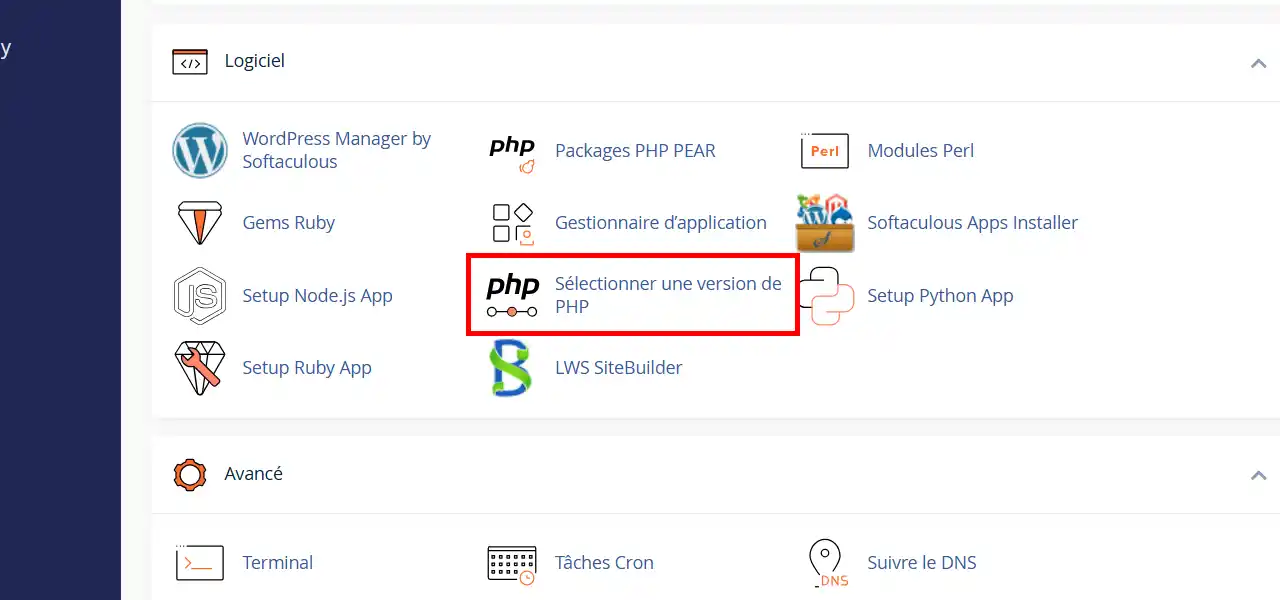
2. In the drop-down menu, choose the PHP version you want for your sites from the drop-down list and then click on the"Apply" button. You can also enable or disable PHP extensions for the selected version by checking/unchecking them on the list displayed.
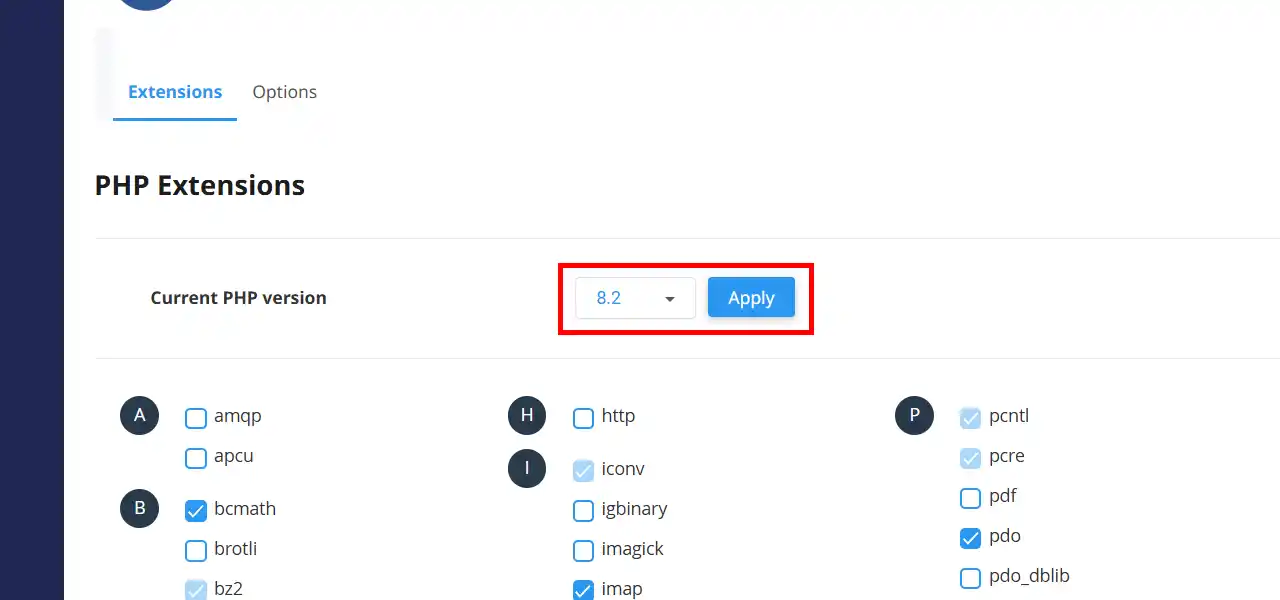
You are now able to change the PHP version on your cPanel web hosting with LWS. Be careful, if you change PHP version when you already have a website in production, it may no longer display.
Don't hesitate to share your comments or questions!
Rate this article :
4/5 | 3 opinion
This article was useful to you ?
Yes
No
1mn reading
Use PHP Selector to activate PHP extensions on cPanel
1mn reading
How do I change max_upload_size and max_execution_time on cPanel?
1mn reading
How do I activate different PHP settings for added companion domains?
Bonjour,
Je vous remercie pour votre message.
Vous pouvez retrouver la procédure pour configurer une version PHP différente sur chaque sous-domaine ou domaine compagnons configurés sur votre formule cPanel en suivant cette documentation : https://aide.lws.fr/a/1281
Cordialement, L'équipe LWS
 About LWS :
LWS is a 100% French web hosting company that focuses on quality and innovation and offers a responsive and competent technical service at affordable prices.
About LWS :
LWS is a 100% French web hosting company that focuses on quality and innovation and offers a responsive and competent technical service at affordable prices.